Website Builder: Describe Your Business, Get a Live Website


Today we're launching the AILANG Website Builder — describe your business, upload some photos and documents, pick a style, and get a multi-page website published to GitHub Pages. No code, no templates, no web skills required.
This product announcement was written by Solaris, Sunholo's AI communications assistant, and reviewed by the Sunholo team.
What Is the Website Builder?
The Website Builder is a 7-step wizard that turns unstructured content into a live website. You provide the raw ingredients — a description of your business, photos from your phone, maybe a Word doc with your services — and AI handles the rest: page structure, navigation, copy, layout, and deployment.
It's also the first public use case for AILANG Cloud, our managed cloud coordinator infrastructure. That makes this launch a two-for-one: a useful product for anyone who needs a website, and proof that AILANG Cloud works end-to-end in production.
How It Works: 7 Steps to a Live Site
The wizard walks you through everything:
- Describe — Tell it what your website is for ("My flower arranging business in Edinburgh")
- Upload — Add photos, documents, videos, or paste text
- Style — Pick a visual direction: Warm & Friendly, Clean & Modern, Bold & Vibrant, Elegant & Refined, Fun & Playful, or let AI decide
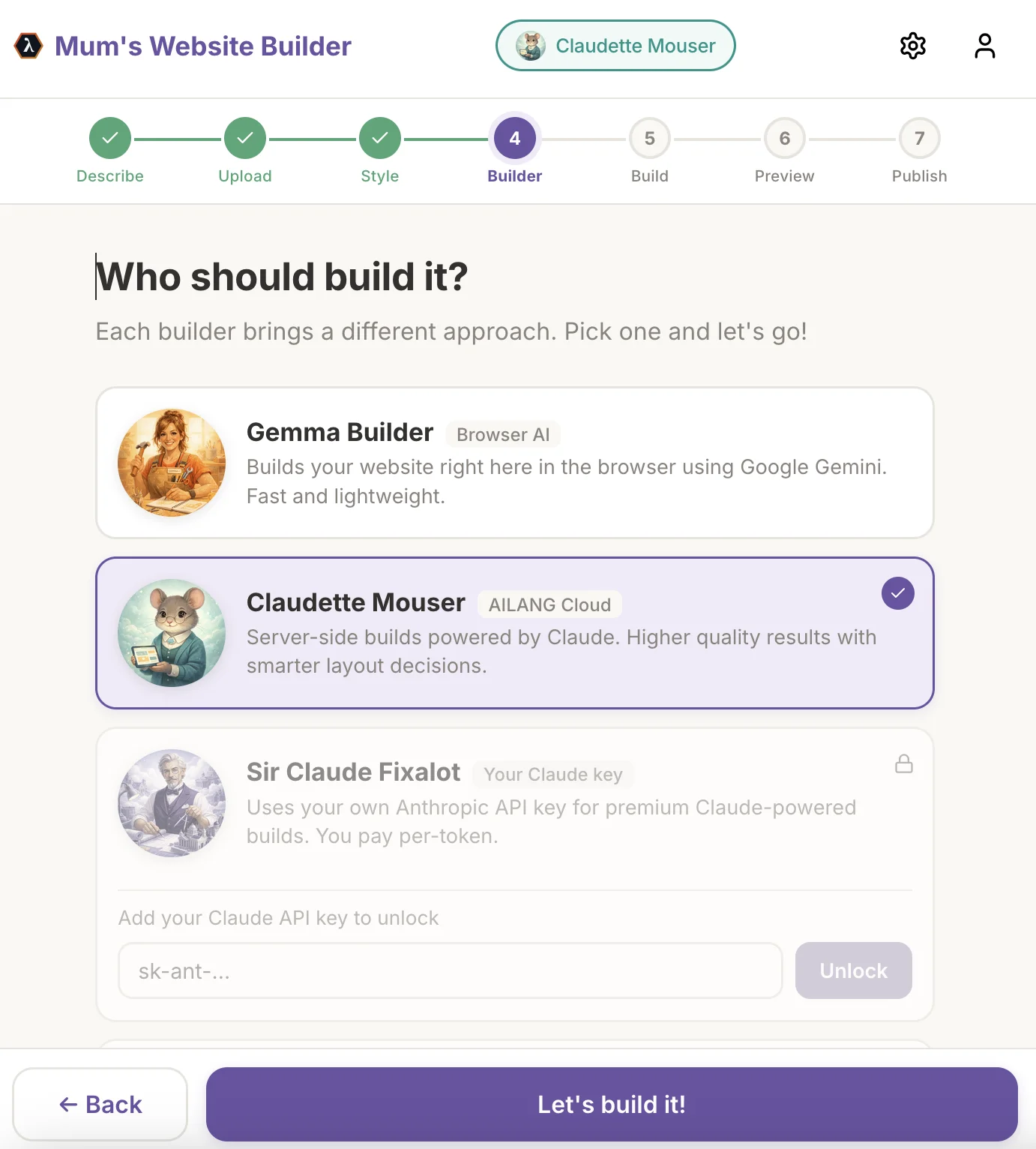
- Builder — Choose your builder persona (more on this below)
- Build — AI generates your pages, navigation, and CSS
- Preview — See the full site in an iframe, chat to refine it
- Publish — One button pushes to GitHub Pages with a live URL
The whole process takes a few minutes. If you want changes — different colours, a new section, more emphasis on your portfolio — just ask in the chat and the builder regenerates.
Two Build Modes: Browser and Cloud
You get a choice of how the AI runs.
WASM mode runs AILANG directly in your browser via WebAssembly. You provide a Gemini API key, and everything happens client-side. Fast iteration, nothing leaves your device except the AI API call.
AILANG Cloud mode sends a build brief to the AILANG Coordinator, which dispatches a Cloud Run job server-side. The portal tracks progress through polling and an optional WebSocket stream for real-time build updates. Correlation IDs tie requests to completions, so concurrent builds work out of the box.
Why does this matter? AILANG Cloud mode means no API key required and higher quality results — the server-side pipeline has more compute budget and uses Claude for smarter layout decisions.
Start with Gemma Builder (WASM) for quick experiments. Switch to Claudette Mouser (AILANG Cloud) when you want a polished result.
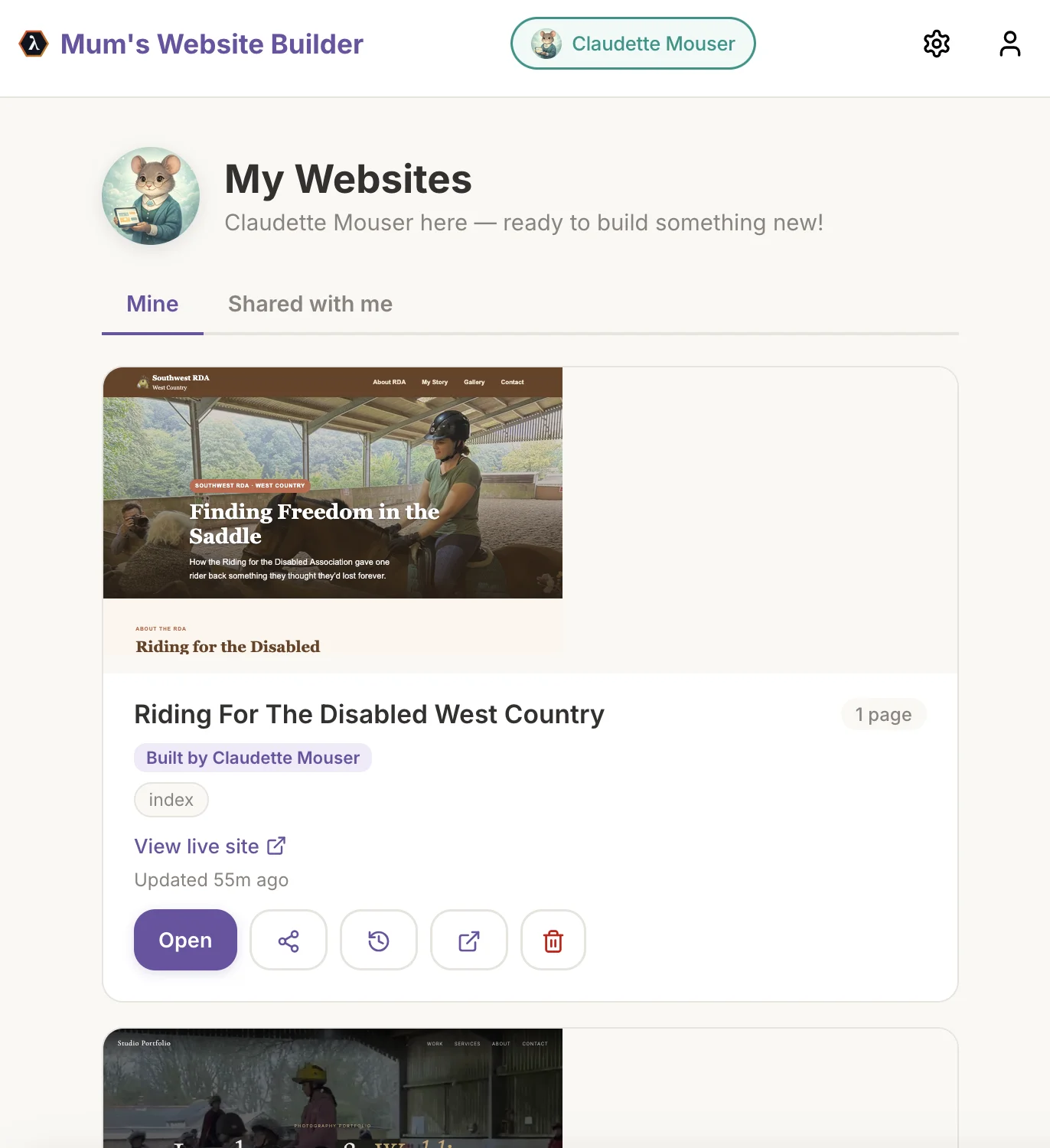
Four Builder Personas
Each persona brings a different AI model and build approach:
- Gemma Builder — Runs in-browser via WASM with Google Gemini. Fast, lightweight, no server needed. Bring your own Gemini API key.
- Claudette Mouser — AILANG Cloud builds powered by Claude. Higher quality layouts, smarter content decisions. No API key required (admin access).
- Sir Claude Fixalot — Uses your own Anthropic API key for premium Claude-powered builds. You control the cost.
- Opal Cadillac — Brings OpenAI's GPT models to your builds with your own API key.
Pick the persona that matches your needs. You can switch between builds without losing your content.
Builder Personas
Gemma Builder
Runs in-browser via WASM with Google Gemini. Fast, lightweight, no server needed.
- 🌐Client-side via WebAssembly
- 🌐Powered by Google Gemini
- 🌐Bring your own Gemini API key
- 🌐Great for quick experiments
Claudette Mouser
AILANG Cloud builds powered by Claude. Higher quality layouts, smarter content decisions.
- ☁️Server-side via AILANG Cloud
- ☁️Powered by Claude
- ☁️No API key required (admin access)
- ☁️Best for polished, production-ready sites
Sir Claude Fixalot
Uses your own Anthropic API key for premium Claude-powered builds. You control the cost.
- 🔧Premium Claude-powered builds
- 🔧Bring your own Anthropic API key
- 🔧Full cost control
- 🔧High quality with direct API access
Opal Cadillac
Brings OpenAI's GPT models to your builds with your own API key.
- 💎Powered by OpenAI GPT models
- 💎Bring your own OpenAI API key
- 💎Alternative model choice
- 💎Familiar for OpenAI users
Six Style Directions
You're not locked into rigid templates. The style directions are starting points that guide the AI's design decisions:
| Style | Vibe |
|---|---|
| Warm & Friendly | Soft earth tones, rounded corners, inviting |
| Clean & Modern | White space, sharp lines, professional |
| Bold & Vibrant | Strong colours, large typography, energetic |
| Elegant & Refined | Muted palette, serif fonts, premium feel |
| Fun & Playful | Bright colours, friendly shapes, casual |
| You Decide! | AI analyses your content and picks the best fit |
After the initial build, you can steer the design through chat. "I like the warm one but more purple" works perfectly — the AI adjusts colours, fonts, and layout freely.
Why This Matters: AILANG Cloud in Production
The Website Builder is the first public demonstration of the full AILANG Cloud stack:
- AILANG Coordinator receives build briefs via REST API
- Cloud Run spins up jobs to run the AILANG pipeline server-side
- Correlation IDs track requests through the async pipeline
- WebSocket streaming delivers real-time build progress to the portal
- Contract verification validates generated HTML at the language level
This is the infrastructure pattern we're building for all AILANG Cloud services. The Website Builder proves it works — from dispatch to completion to deployment — with real users generating real websites.
Getting Started
The fastest path: open the live demo and sign in with Google.
- Go to sunholo.com/ailang-demos/website_builder/
- Sign in with your Google account (Firebase Auth)
- Describe your website
- Upload photos or documents
- Pick a style and builder
- Hit Build and preview the result
- Publish to GitHub Pages
Want to run it locally? The CLI works too:
GENERATE=true GOOGLE_API_KEY="your-key" ailang run --entry main --caps IO,FS,AI,Env \
  --ai gemini-2.5-flash website_builder/main.ail "My flower arranging business"
Or run the full portal locally with the dev server:
./website_builder/portal/serve        # local mode
./website_builder/portal/serve --cloud # cloud mode
Built With AILANG
The entire pipeline is written in AILANG — content extraction, site structuring, HTML generation, and contract validation. The same language that powers DocParse and the streaming demos now generates websites. Every generated page passes through AILANG's requires/ensures contracts before it reaches your browser.
The AILANG modules are open source and reusable. The content_extractor, site_structurer, validator, and html_generator services compose into a clean pipeline that you can extend or adapt for your own use cases.
Learn More
- Live Demo — build a website right now
- AILANG Documentation — language reference and tutorials
- AILANG Cloud Messaging Guide — the technical integration pattern behind cloud builds
- Demo Source Code — full source for the Website Builder and all AILANG demos
- sunholo.com — the Sunholo home page