Back to 60 fps, and inspect what you orbit: v0.4.0-dev.21

dev.20's full sky made the laptop stutter at Aldebaran. One line was scanning all 335,189 stars every frame. Fixed, measured on the MacBook Air, and the I key now shows the bodies around you.
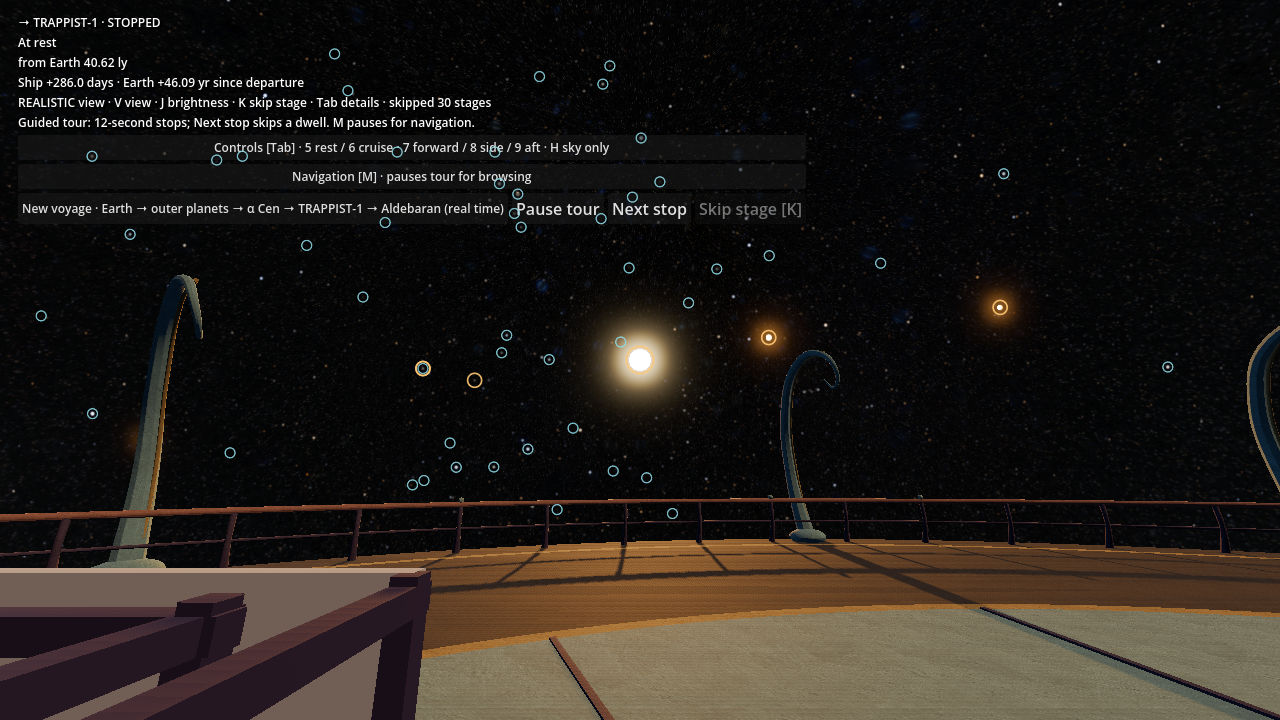
The lag
A performance audit on the M2 Air at the Aldebaran stop showed 53 fps, and 30 fps in the overview. Switching suspects off one at a time on the Studio cleared the new ship lighting and pointed at the 100 pc sky. Timing the per-frame calls found it: a check that ran every frame compared each nearby star against all 335,189 star identities, one by one, before deciding nothing had changed. That took 13.7 ms of a 16.7 ms frame. With a hash lookup it takes 0.01 ms.
On the Air, the same stop now runs at 60 fps at the median in every view, the overview included, with no frame over 25 ms. A regression test fails if this cost ever grows with the number of stars again.
Hold I
Holding I used to ring only background stars. Now it also rings the Sun, planets, moons, finite stars and exoplanets, at the size they are drawn, aberration included. Click one for its card: distance, size and apparent size, temperature, how long ago its light left, and its data source.
Release: v0.4.0-dev.21-perf-inspect · Gallery · PRs #155, #156.